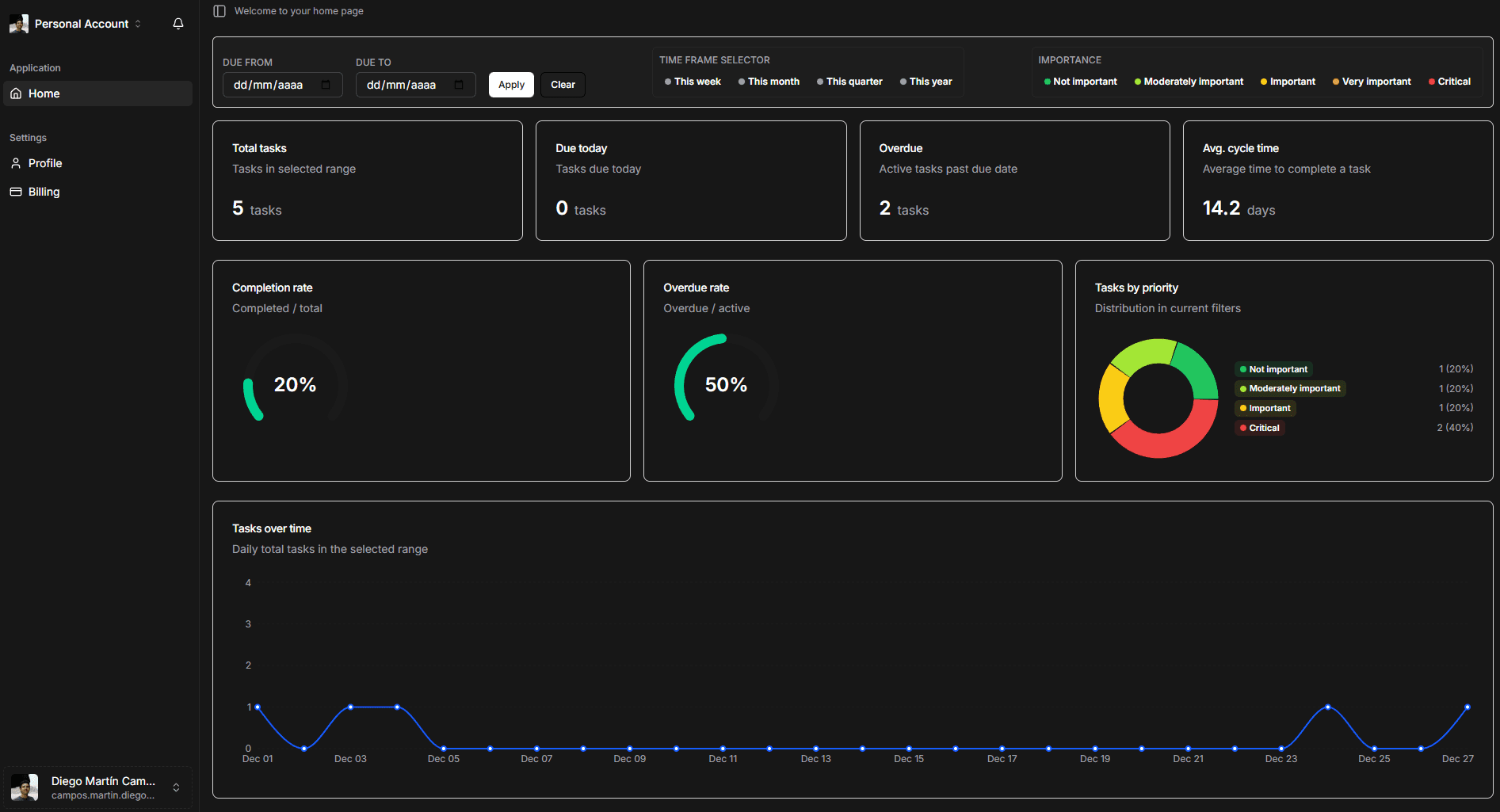
Introduce a personal dashboard where each user can track their task performance, workload, and historical trends with powerful filters and visualizations.
Added
Personal performance dashboard for each user, focused on their own tasks and execution metrics.
Overview of:
All tasks assigned to the user.
Open tasks that are not yet completed.
Overdue tasks that have passed their due date.
Completed tasks.
Average time to complete tasks.
Filtering and views
Date and importance filters to zoom in on specific time windows and priority levels.
Time range controls to analyze work:
By week.
By month.
By quarter.
By year.
Time-distribution chart showing how tasks are spread over time, helping visualize workload and delivery patterns.
Task list ordered by due date, including all associated custom tags for quick context.
Navigation and usability
Ability to click on any task in the dashboard to jump directly to its Kanban board, enabling fast drill-down from analytics to execution.
Designed to help users understand not just what they have to do, but how they are performing over time across volume, deadlines, and priorities.
Benefits
Personal clarity: each user gets a single place to understand their workload and performance.
Better planning: filters and time ranges make it easier to spot overload, overdue patterns, and upcoming peaks.
Actionable insights: direct navigation from analytics to the exact board and task shortens the loop between insight and action.
End-to-end visibility: from task creation and prioritization to completion time and historical trends, users can now see the full lifecycle of their own work.